
Build your own VST3 plugins without writing code
Crocodile is a visual plugin builder from Shalita. Design an EQ, a reverb or a sample-based instrument, test it with real audio, and export it as a VST3 plugin or a standalone app.
Why building a plugin is hard
You may know exactly how an EQ curve should respond, or how a vocal reverb should sound. Turning that idea into a working .vst3 plugin for FL Studio, Ableton Live or Logic Pro normally means getting past three obstacles.
Programming and DSP
Plugins are usually written in C++ with frameworks such as JUCE. That takes build tools, audio buffer handling and signal-processing knowledge before you hear a single sound.
Interface design
Rotary knobs, frequency displays, logos and background artwork all have to be built and tuned by hand, which takes weeks of detailed work.
Testing and packaging
Release builds must be compiled, tested and made stable inside each DAW. That is difficult to do reliably without a development team.
How Crocodile works
Crocodile replaces the code with a visual editor. You design the plugin, test it live with your own audio, and export a ready-to-use VST3 plugin with one click.
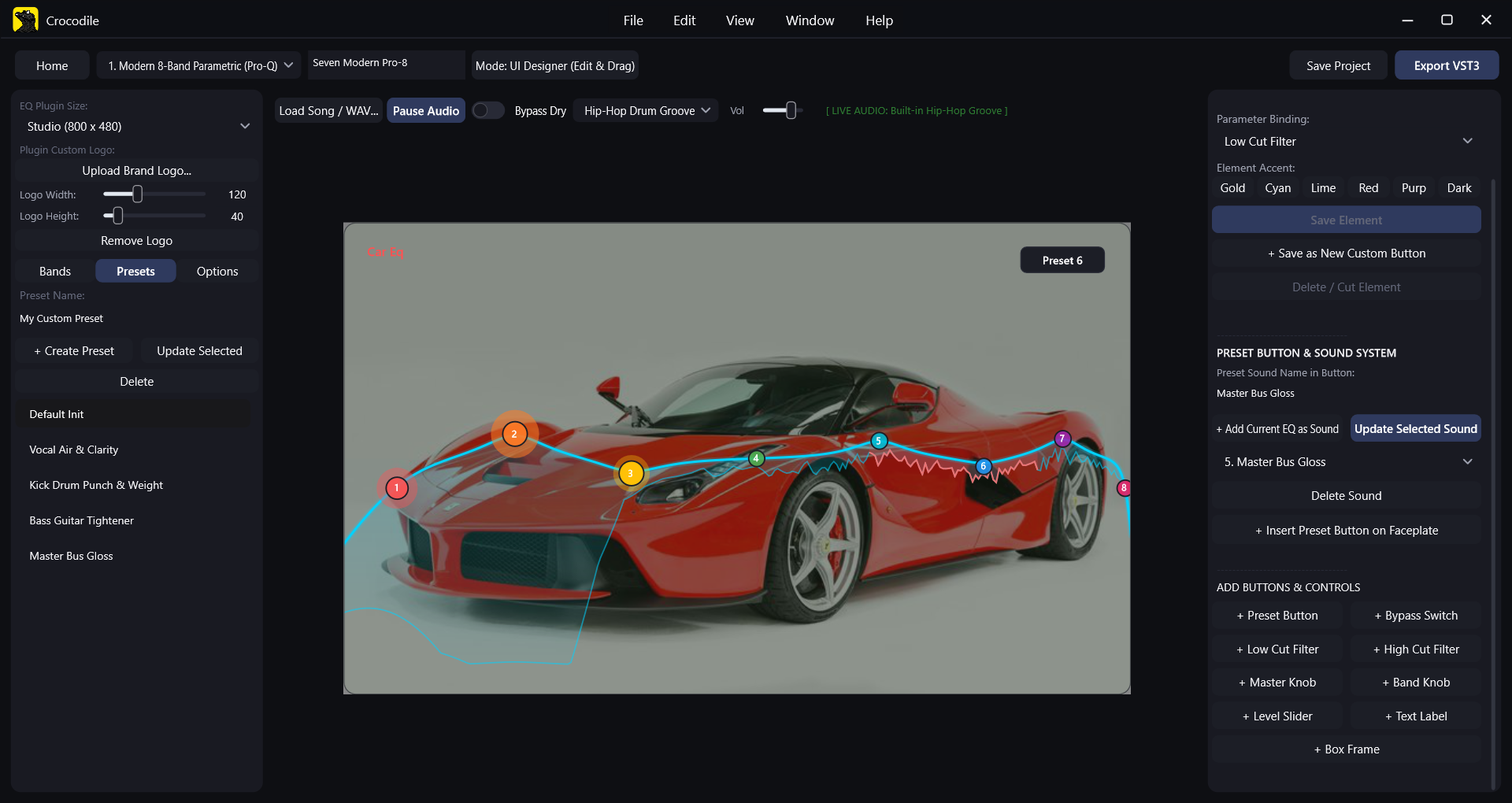
EQ plugin builder
Upload your own background image and logo, place knobs, preset buttons and filter controls on the faceplate, test it on a live drum or vocal loop, and click Export VST3.
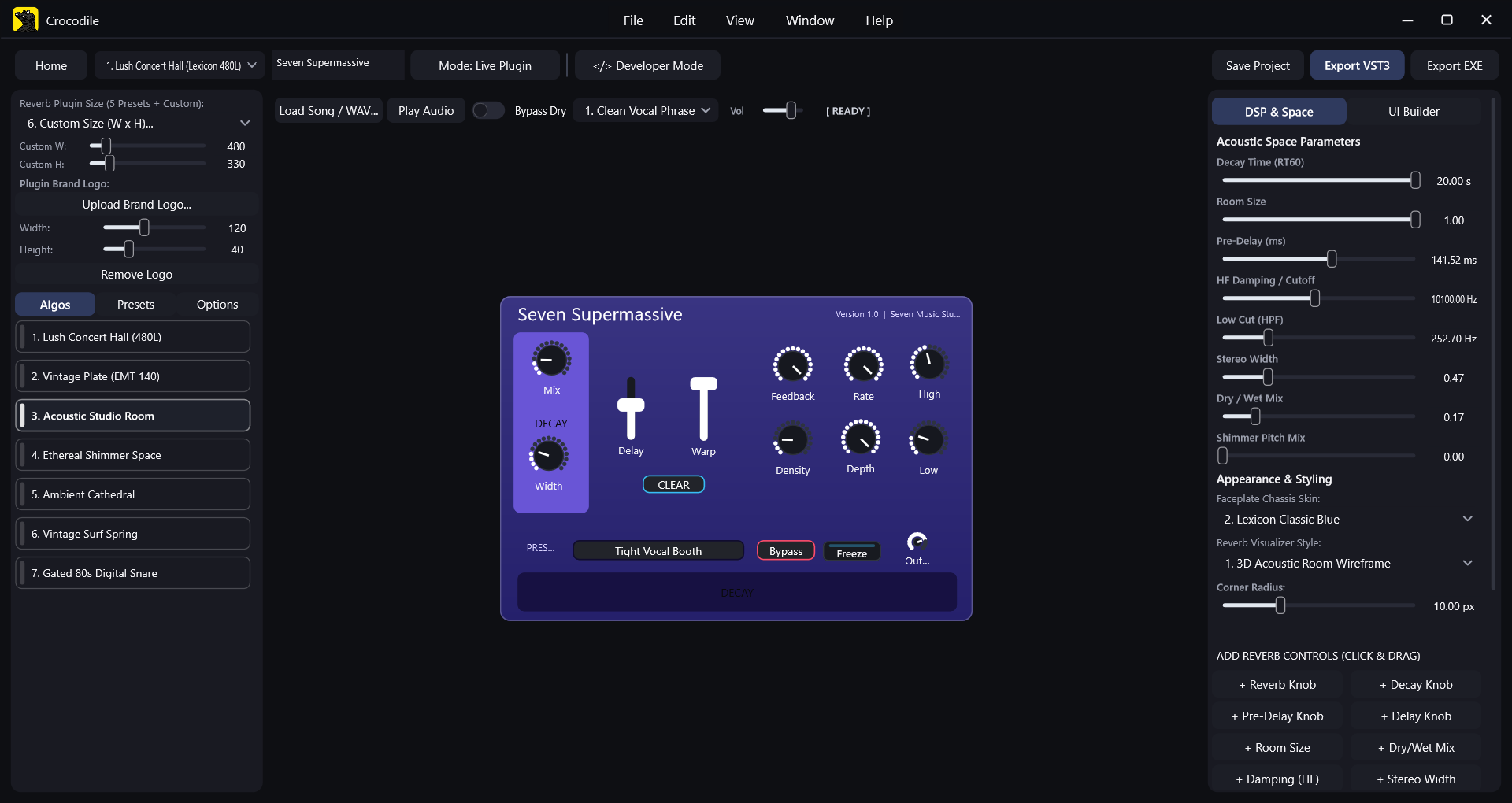
Reverb plugin builder
Choose from seven reverb algorithms (Concert Hall, Vintage Plate, Studio Room, Shimmer, Cathedral, Spring and Gated), then adjust RT60 decay, pre-delay, damping and the plugin's appearance. Export as VST3 or a standalone EXE.
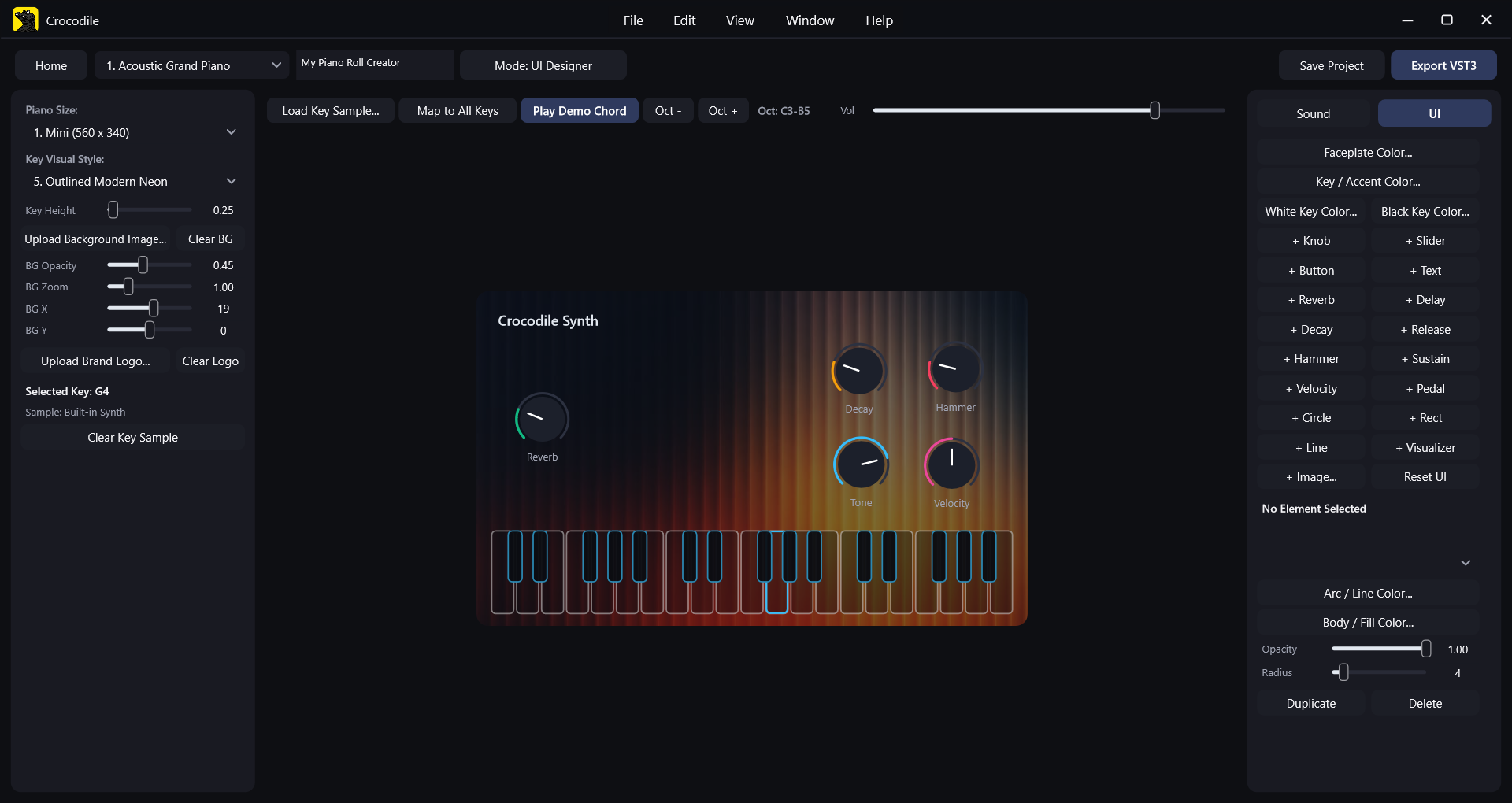
Piano roll and sample pack creator
Load your own .wav samples, map them across the keyboard, style the keys, and set reverb, delay and decay controls. The result is a branded instrument plugin you can share or sell.
Ready to build your first plugin?
Crocodile is included with every Shalita subscription plan.